Multipurpose theme documentation
Multipurpose Fashion Theme
Promotional Grid
Multipurpose Fashion Theme
Theme: Multipurpose Fashion Theme
Help Center > Sections & Blocks > Promotional Grid
Overview
The Promotional grid is a flexible section that lets you build custom layouts from multiple block types. Mix simple image cards, sale collection blocks, product blocks, banners, feature-emphasis blocks, and video blocks in one section. Each block can span different widths (25%, 33%, 50%, 66%, 75%, 100%) for creative grid layouts. Use it for mixed promotions, lookbooks, campaign strips, or featured products on your homepage and campaign pages. This guide is for merchants, prospective merchants, and theme reviewers.

Section and Block Group
The Promotional grid belongs to the Sections & Blocks group. It is a block-based section: you add the section, then add blocks inside it. Each block type serves a different purpose. Blocks can be reordered by dragging in the Theme Customizer.
| Concept | Description |
|---|---|
| Section | Promotional grid - defines the outer container, grid layout, spacing, and background |
| Blocks | Simple, Collection Spotlight, Product, Image, Banner, Hero, Video - content units inside the section |
Section Settings
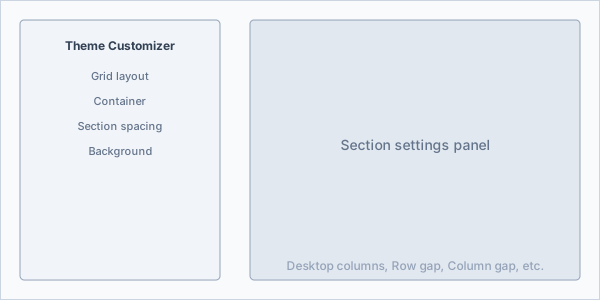
Grid layout
| Setting | Description | Default |
|---|---|---|
| Desktop columns | Base grid columns (1-6) | 2 |
| Tablet columns | Tablet grid columns (1-4) | 2 |
| Mobile columns | 1 or 2 | 1 |
| Row gap | Vertical gap between rows (0-60px) | 20px |
| Column gap | Horizontal gap between columns (0-60px) | 20px |
| Equal height blocks | Same height per row | Off |
| Stack on mobile | Stack blocks vertically on mobile | On |
| Masonry layout | Masonry-style layout for varied heights | Off |
| Hide image blocks on mobile | Hide image-style blocks on mobile | Off |
Container
| Setting | Description |
|---|---|
| Container width | Full width, Boxed, or Custom |
| Custom width | Max width in px when Custom (600-1600) |
Section spacing
| Setting | Description |
|---|---|
| Top padding | Section top padding (0-120px) |
| Bottom padding | Section bottom padding (0-120px) |
Background
| Setting | Description |
|---|---|
| Background style | Color, Image, or Gradient |
| Background color | Solid color |
| Background image | Full-section background image |
| Gradient | CSS gradient (e.g. linear-gradient(135deg, #667eea 0%, #764ba2 100%)) |
| Color scheme | Use theme color scheme for section |
Block Width and Span
Each block has a Width setting that controls how many grid columns it occupies:
| Width | Grid span | Use case |
|---|---|---|
| 25% | Quarter width | Small promo tiles, 4-column layout |
| 33% | Third width | 3-column promo strip |
| 50% | Half width | 2-column split (e.g. sale + product) |
| 66% | Two-thirds | Asymmetric (e.g. large hero + small CTA) |
| 75% | Three-quarters | Prominent block + small accent |
| 100% | Full row | Full-width hero, banner, or video |
Mix blocks of different widths for asymmetric layouts (e.g. one 50% block + two 25% blocks, or one 100% hero + three 33% cards).
Block Types (Detailed)
Simple Block
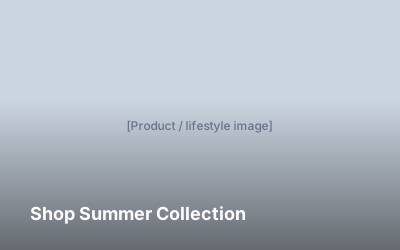
The Simple block displays an image with optional text overlay and link. It is ideal for promotional cards, campaign tiles, collection teasers, and seasonal announcements. Text appears over the image with configurable overlay opacity and alignment.
What it displays: Image, optional dark/light overlay, short text, link (entire card can be clickable).
Simple Block Settings
| Setting | Description | Default |
|---|---|---|
| Image | Promotional image | - |
| Link | URL-makes the card clickable | - |
| Text | Short text overlay (e.g. "Shop Summer") | - |
| Show overlay | Dark overlay behind text | On |
| Overlay color | Overlay color (#hex) | #000000 |
| Overlay opacity | 0-100% | 30% |
| Text alignment | Left, Center, Right | Left |
| Vertical alignment | Top, Center, Bottom | Bottom |
| Hover effect | None, Zoom, Lift, Fade | Zoom |
| Border radius | 0-24px | 0 |
| Content padding | 0-48px | 16px |
| Height | 200-600px | 300px |
| Width | 25%-100% | 50% |
| Color scheme | None, 1, 2, 3 | None |
Best for: Campaign cards, collection promos, seasonal announcements, homepage promo strips (3× 33%).
Collection Spotlight Block
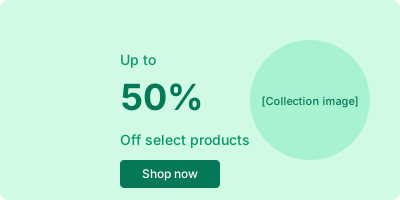
The Collection Spotlight block showcases a collection with sale-specific styling. It typically displays a large discount message (e.g. "Up to 50% Off") alongside the collection image. Use it to highlight sale collections, clearance, or seasonal markdowns.
What it displays: Top/middle/bottom text (e.g. "Up to" / "50%" / "Off select products"), collection image (circle or square), optional product count, optional CTA button, optional badge, optional countdown.
Collection Spotlight Block Settings
| Setting | Description | Default |
|---|---|---|
| Collection | Select collection | - |
| Use collection image | Use collection's image | On |
| Custom image override | Override with custom image | - |
| Top text | e.g. "Up to" | Up to |
| Middle text | e.g. "50%" | 50% |
| Bottom text | e.g. "Off select products" | Off select products |
| Show product count | Display product count | Off |
| Show CTA button | Show "Shop now" button | On |
| CTA text | Button label | Shop now |
| Show countdown | Display countdown timer | Off |
| Badge text | e.g. "Sale" badge | - |
| Background color | Card background | #e8f5e9 |
| Image shape | Circle, Square | Circle |
| Width | 25%-100% | 50% |
| Color scheme | None, 1, 2, 3 | None |
Best for: Sale sections, clearance promos, seasonal markdowns, homepage sale strip.
Product Block
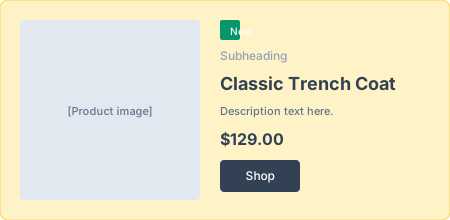
The Product block displays a single product as a promotional card. Content (subheading, heading, text, price) appears on the left; the product image on the right. Supports labels (e.g. "New"), inline cart action, ratings (from product reviews metafield), and optional compare-at price.
What it displays: Label, subheading, heading (product title), text, price, compare-at price, vendor, rating stars, button, quick add, product image (with optional secondary image on hover).
Product Block Settings
| Setting | Description | Default |
|---|---|---|
| Product | Select product | - |
| Subheading | Small text above heading | - |
| Heading | Overrides product title if set | - |
| Text | Description or tagline | - |
| Button text | CTA label | Shop |
| Label | e.g. "New", "Bestseller" | New |
| Show price | Display price | Off |
| Show compare at price | Strikethrough compare price | On |
| Show vendor | Display vendor | Off |
| Show rating | Star rating (requires reviews metafield) | Off |
| Inline cart action | Add to cart without leaving page | Off |
| Secondary image on hover | Show second image on hover | On |
| Show badges | Sale/New badges | On |
| Image shape | None, Rounded, Circle | None |
| Width | 25%-100% | 50% |
| Color scheme | None, 1, 2, 3 | None |
Best for: Featured product, hero product, campaign spotlight, new arrival highlight.
Image Block
The Image block is a simple linked image. No text overlay by default-just the image, optional caption, and link. Use it for lookbook grids, gallery-style layouts, or linked imagery.
What it displays: Image, optional caption below, optional link (entire image clickable), object fit (cover/contain), optional hover zoom, optional overlay.
Image Block Settings
| Setting | Description | Default |
|---|---|---|
| Image | Image | - |
| Caption | Text below image | - |
| Link | URL when image is clicked | - |
| Object fit | Cover, Contain | Cover |
| Hover zoom | Zoom effect on hover | On |
| Show overlay | Subtle overlay | Off |
| Width | 25%-100% | 100% |
| Color scheme | None, 1, 2, 3 | None |
Best for: Lookbook grid, masonry gallery, linked imagery, brand visuals.
Banner Block
The Banner block displays heading, text, and a button on a colored background (from color scheme or block settings). No image-text-only CTA. Use it for announcements, promos, or inline CTAs within the grid.
What it displays: Optional icon, heading, text, button (primary/secondary/outline). Can be dismissible (with close button) or sticky.

Banner Block Settings
| Setting | Description | Default |
|---|---|---|
| Heading | Banner title | Banner promotion |
| Text | Body text | Add the details of your promotion |
| Button text | Button label | Shop now |
| Button link | Button URL | - |
| Button style | Primary, Secondary, Outline | Primary |
| Icon (optional) | Icon name or SVG | - |
| Dismissible | Show close button | Off |
| Sticky | Sticky positioning | Off |
| Width | 25%-100% | 100% |
| Color scheme | None, 1, 2, 3 | None |
Best for: Announcements, shipping promos, seasonal messages, inline CTAs.
Hero Block
The Hero block is a large feature-emphasis block with desktop and mobile images, subheading, heading, text, and up to two buttons. Supports parallax, content box (card/outline), overlay, and entrance animations.
What it displays: Desktop image, mobile image (optional), overlay, subheading, heading, text, button 1, button 2, content box style (none/card/outline), parallax effect.

Hero Block Settings
| Setting | Description | Default |
|---|---|---|
| Desktop image | Main image | - |
| Mobile image | Alternative for mobile | - |
| Subheading | Small text | Announcement |
| Heading | Main title | Announce your promotion |
| Text | Body text | Include the smaller details… |
| Button 1 text/link | First CTA | Shop This |
| Button 2 text/link | Second CTA | Shop All |
| Height | e.g. 400px or 50vh | 400px |
| Overlay color | Overlay tint | #000000 |
| Overlay opacity | 0-100% | 30% |
| Parallax | Parallax scroll effect | Off |
| Content max width | 300-800px | 600px |
| Content box style | None, Card, Outline | None |
| Animation | None, Fade, Slide up | Fade |
| Width | 25%-100% | 50% |
| Color scheme | None, 1, 2, 3 | None |
Best for: Featured campaign, collection launch, homepage hero within grid, bold promos.
Video Block
The Video block embeds video from YouTube, Vimeo, or Shopify-hosted video. Supports autoplay, loop, mute, fallback image, and aspect ratio (16:9, 4:3, 1:1, 9:16).
What it displays: Video player (YouTube/Vimeo embed or native), poster/fallback image when video unavailable, optional autoplay/loop/mute.

Video Block Settings
| Setting | Description | Default |
|---|---|---|
| Video URL | YouTube or Vimeo URL | - |
| Shopify video | Uploaded video from Files | - |
| Autoplay | Autoplay on load | On |
| Loop | Loop video | On |
| Mute | Mute (required for autoplay) | On |
| Fallback image | Poster when no video | - |
| Aspect ratio | 16:9, 4:3, 1:1, 9:16 | 16:9 |
| Width | 25%-100% | 100% |
| Color scheme | None, 1, 2, 3 | None |
Best for: Product demos, brand video, lookbook video, campaign video.
Adding and Arranging Blocks
- Add Promotional grid section (Add section > Promotional grid).
- Click Add block within the section.
- Choose block type (Simple, Collection Spotlight, Product, Image, Banner, Hero, Video).
- Configure block settings (image, text, link, etc.).
- Set block Width for grid span.
- Add more blocks and drag to reorder.
- Adjust section settings (columns, gaps, background) as needed.
- Save.

Use Cases
| Use case | Block mix | Example layout |
|---|---|---|
| Homepage promo strip | 3× Simple (33% each) | Three equal cards: New Arrivals, Sale, Lookbook |
| Sale + featured product | Sale collection (50%) + Product (50%) | Left: "Up to 50% Off", right: featured product |
| Hero + products | Hero (100%) + 2× Product (50%) | Full-width hero, then two product cards |
| Mixed campaign | Banner + Image + Video | Announcement banner, lookbook image, brand video |
| Lookbook grid | Multiple Image blocks, masonry | Masonry layout, varied image heights |
| Sale focus | 2× Sale collection (50% each) | Two sale collection cards side by side |
Layout and Responsiveness
- Desktop: Blocks follow grid columns and width settings. Mix 25%/33%/50%/75%/100% for flexible layouts.
- Tablet: Grid adapts to tablet columns; block spans scale.
- Mobile: With "Stack on mobile" On, blocks stack vertically. "Hide image blocks on mobile" optionally hides image-style blocks.
- Masonry: Turn on for varied-height blocks (e.g. mixed Image blocks).
- Equal height: When On, blocks in the same row share the same height.

Best Practices
Content
- Use clear, benefit-focused headings.
- Keep Simple/Image text short; Hero/Banner can be longer.
- Add links to blocks when you want them to drive traffic.
- Use high-quality images (e.g. 600-900px wide) for best responsive quality.
Design
- Use Width to create hierarchy (e.g. one 100% hero + several 33% cards).
- Match color scheme across blocks for cohesion, or mix for contrast.
- Masonry works well for lookbook-style grids with varied image heights.
Performance
- Optimize images before upload (WebP/JPEG, reasonable dimensions).
-
The theme uses
loading="lazy"and responsive srcset for images. - For Video blocks, consider fallback image for slow connections.
For merchants
- Start with 2-4 blocks; add more as needed.
- Use Width settings to create visual hierarchy (e.g. one large hero + smaller cards).
- Masonry layout works well for varied image heights.
- Test on mobile-stacking order follows block order.
- Collection Spotlight and Product blocks are great for driving sales; Simple and Image for brand storytelling.
Common mistakes
| Mistake | Fix |
|---|---|
| Section looks empty | Add at least one block |
| Blocks too wide/cramped | Adjust Width per block; check Desktop columns |
| Sale collection no image | Select a collection with an image, or add Custom image override |
| Product block blank | Select a product |
| Video not playing | Use YouTube/Vimeo URL or Shopify video; autoplay requires mute |
| Banner uses no color | Set Color scheme for block or section |
Promotional Grid – FAQs
The Promotional Grid is a flexible section that lets you combine different promotional blocks such as images, products, collections, banners, heroes, and videos in a customizable grid layout.
- Simple image promotions
- Collection spotlight (sale promotion)
- Single product highlight
- Image block
- Banner
- Hero section
- Video block
You can mix different block types within the same grid.
Yes. You can set separate column counts for:
- Desktop
- Tablet
- Mobile
This allows you to fully control how the grid looks on different devices.
Yes. Each block can be set to different widths such as 25%, 33%, 50%, 66%, 75%, or 100%. This helps create dynamic layouts.
Masonry layout arranges blocks in a staggered style, similar to Pinterest. It works well for image-focused promotions.
When enabled, all blocks in the same row will have equal height, creating a clean and aligned layout.
Yes. You can control:
- Row gap
- Column gap
- Top and bottom padding
Yes. You can use:
- Solid background color
- Background image
- Custom gradient
You can also apply a color scheme for consistent branding.
Yes. You can choose to hide image blocks on mobile to improve performance and simplify the layout.
Yes. The layout automatically adapts to different screen sizes, including mobile stacking options.
Yes. Certain blocks like Hero and Simple blocks support hover effects and animation options.
The grid allows you to highlight:
- Top-selling products
- Limited-time discounts
- Featured collections
- Seasonal campaigns
- Video storytelling
This helps guide customers toward high-priority offers.